
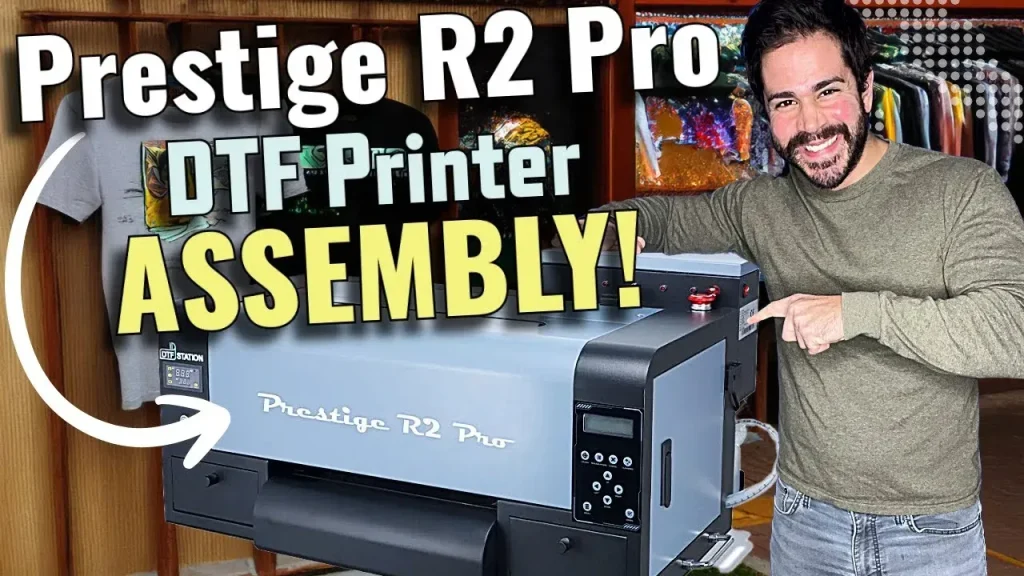
DTF printing station setup is a pivotal step toward consistent, high-quality transfers and efficient production. A well-planned configuration brings together the right DTF printing equipment, reliable DTF materials and consumables, and a streamlined DTF workflow optimization to move from design to finished product with minimal bottlenecks. Whether you run a small shop, a home setup, or a growing studio, thoughtful attention to equipment, materials, and process design saves time, reduces waste, and improves color accuracy over the long term. This guide outlines core elements—essential gear, recommended materials, and practical workflows you can tailor to your space. By optimizing the DTF printing station layout and incorporating direct-to-film setup tips, you lay a foundation for a robust DTF printing station setup that’s reliable and scalable.
A modern direct-to-film workstation aims to translate digital designs into durable transfers through a cohesive film-to-substrate workflow. Think of a transfer station as a compact production line that combines a dedicated printer, a heat source, powder handling, and finishing tools, all aligned for smooth handoffs. The goal is to minimize motion, standardize color management, and keep consumables organized so operators meet color targets consistently. By focusing on the same core pillars—reliable equipment, proven materials, and a repeatable process—you can achieve steady output and easier maintenance over time.
DTF printing station setup: components, layout, and workflow
Setting up a DTF printing station starts with aligning three core pillars: reliable DTF printing equipment, high-quality DTF materials and consumables, and a repeatable DTF workflow optimization. By design, this integration supports a smooth transition from design to finished transfers, reducing bottlenecks and ensuring dependable color accuracy across runs. A well-planned setup also helps you scale as demand grows, making it easier to train operators and maintain consistency.
In practice, this means choosing a printer built for direct-to-film workflows, pairing it with a compatible heat source, and organizing a powder application area that minimizes dust and contamination. The station layout should encourage short, efficient movements between the printer, powder station, and heat press, while clean lighting and climate control protect film quality and ink performance. A thoughtful DTF printing station setup creates a foundation for long-term reliability and growth.
Choosing the right DTF printing equipment for reliability and throughput
Selecting the right DTF printing equipment is the first step toward a dependable production line. Look for printers designed for direct-to-film workflows, with consistent ink delivery, robust CMYK capability, and compatibility with your preferred DTF films. Reliable equipment reduces nozzle clogs and color drift, which in turn lowers waste and rework while improving overall print quality.
Pair the printer with a suitable heat source and supportive devices to streamline your workflow. A dependable heat press with uniform heat and pressure, plus a digital timer and clear temperature readouts, helps you achieve clean transfers every time. When space allows, a larger bed or a swing-away design can simplify handling larger designs and improve operator efficiency.
DTF materials and consumables: films, powders, inks, and coatings
DTF materials and consumables are the heart of every transfer. Start by selecting DTF films that match your printer’s specifications (width, coating, and heat tolerance) and keep a small variety of film thicknesses on hand to support different product lines. Testing a few brands helps identify which combination yields the cleanest color reproduction with minimal ghosting.
Adhesive powder quality and application are equally critical for consistent transfers. A reliable powder shaker helps ensure even coverage and reduces clumps that can cause uneven adhesion or banding. Inks and color management form the lifeblood of color accuracy; use high-quality dye- or pigment-based inks compatible with your film, and calibrate color workflows from monitor to print using film-specific profiles to minimize shifts across runs.
Color management and calibration for consistent DTf results (LSI focus)
Color management is a central pillar of a stable DTF workflow. Regular calibration of your printer against standardized color targets helps maintain consistency across sessions and film types. Building a routine that includes color targets, quick visual checks, and optional instrument measurements—such as a spectrophotometer or colorimeter—can dramatically reduce color drift between batches.
Documenting printer profiles for each film type and maintaining an internal reference guide ensures repeatability. With standardized profiles, you prevent unexpected shifts when changing films or ink lots, and you can quickly diagnose color discrepancies during reviews. This systematic approach to color control is a core element of DTF workflow optimization.
DTF printing station layout: ergonomics, dust control, and efficiency
A well-designed DTF printing station layout minimizes walking distances and reduces motion fatigue. Place the printer near the intake area, position the powder station within easy reach, and dedicate a transfer zone for the heat press. Clear pathways and labeled storage for films, powders, gloves, and cleaning supplies help operators work more efficiently while reducing the risk of cross-contamination.
Dust control and cleanliness are essential for film quality. Use a dust-free surface around the powder area and implement simple containment strategies to keep particles from migrating into fabrics or printed films. Proper lighting, climate considerations (humidity and temperature), and organized shelving contribute to a productive workspace where operators can consistently inspect films for defects and ensure color accuracy.
Direct-to-film setup tips: practical steps to launch and grow
Direct-to-film setup tips focus on practical, repeatable actions that keep your process stable. Start by mapping your space to minimize walking and ensure you have dedicated zones for printing, powdering, curing, and transferring. Establish standard operating procedures (SOPs) for file prep, printing, powdering, curing, transferring, and finishing to ensure every operator performs consistently.
A quick-start plan can accelerate momentum: verify space dimensions, stock core materials, install a color management workflow, and set up the transfer zone with a reliable heat press. Regular maintenance, routine nozzle checks, and a simple calibration schedule will keep your DTF workflow optimized, helping you deliver consistent transfers with faster turnaround times.
Frequently Asked Questions
What core DTF printing equipment do I need for an effective DTF printing station setup?
A functional DTF printing station setup starts with dependable DTF printing equipment. Core components include a printer designed for direct-to-film workflows, a reliable heat press with a timer and temperature readout, and a powder application device. Depending on your workflow, add a curing option and maintain a dust-free workspace to protect print quality. Consider a climate-controlled area to stabilize ink and powder adhesion over time.
How should I select DTF materials and consumables for a reliable DTF printing station setup?
DTF materials and consumables drive print quality and repeatability in a DTF printing station setup. Choose films compatible with your printer’s width, coating, and heat tolerance, and test several brands to find the cleanest color and minimal ghosting. Use a high-quality adhesive powder with a reliable shaker, and select inks that match your film and color management workflow. Maintain an inventory of multiple film thicknesses and include topcoats or protective finishes where needed.
What are key steps for DTF workflow optimization in a DTF printing station setup?
DTF workflow optimization is the heart of a smooth DTF printing station setup. Implement standard operating procedures for file prep, printing, powdering, curing, transferring, and finishing, with embedded color management steps. Conduct regular print tests, monitor nozzle health and ink levels, and schedule routine maintenance to reduce bottlenecks and ensure consistent results across runs.
How should I design the DTF printing station layout to maximize efficiency in the setup?
Design your DTF printing station layout to minimize walking and handling by placing the printer near intake, the powder station within easy reach, and the heat press in a dedicated transfer zone. Use a dust-free surface around powder areas, bright lighting for film inspection, and clearly labeled storage for films, powders, and tools. Ergonomics and climate considerations—such as proper ventilation and temperature control—help protect film handling and consistency.
What are some practical direct-to-film setup tips to improve consistency in a DTF printing station setup?
These direct-to-film setup tips focus on consistency: calibrate your printer to film-specific color profiles, run test prints, and maintain a color target sheet for traceability. Keep films and powders clean to prevent contamination, ensure even adhesive coverage with a reliable shaker, and position curing equipment for quick, controlled drying. Document changes to settings and layouts to preserve repeatability across shifts.
How can I maintain color accuracy and troubleshoot common issues in a DTF printing station setup?
Maintain color accuracy with a simple calibration routine: establish printer profiles for each film type, use a color target, and measure with a spectrophotometer if available. Keep a maintenance log, regularly check nozzle health and ink levels, and inspect the powder station for buildup. A clean transfer zone, proper humidity/temperature control, and documented SOPs help you diagnose issues quickly and maintain reliable results.
| Aspect | Key Points |
|---|---|
| Equipment overview |
|
| Workspace and layout |
|
| Materials and consumables |
|
| Workflow design |
|
| Color management and calibration |
|
| Maintenance and troubleshooting |
|
| Practical setup steps |
|
Summary
DTF printing station setup is a comprehensive approach to align equipment, materials, and workflow to achieve consistent transfers, precise color, and efficient production. By selecting reliable DTF printing equipment, stocking the right DTF materials and consumables, and implementing a repeatable, efficient workflow, you set the stage for reliable transfers, strong color accuracy, and faster turnaround times. Map your space, calibrate your printer, and establish clear SOPs to ensure your team can operate smoothly. As your operation grows, revisit layout and processes to accommodate larger orders or new substrates, building a scalable system that delivers high-quality results and dependable performance over time.