
UV DTF transfer blends the flexibility of digital printing with the durability of UV-curable inks to produce vibrant graphics on fabrics, enabling rapid design iterations, efficient production planning, and wash-fast finishes that stand up to daily wear across a wide range of garments. But achieving lasting, repeatable results requires more than a single machine setting; it demands a thoughtful, documented workflow that begins with artwork and color preparation, passes through substrate selection and adhesion testing, and ends with a precisely timed curing and finishing sequence. In this guide, you’ll uncover practical tips and best practices that elevate consistency, reduce rework, and help you deliver accurate colors, crisp edges, strong substrate bonding, and reliable performance across batches. From pre-press checks and file preparation to heat press calibration, substrate conditioning, ink handling, and post-press care, the success of your project depends on discipline, repeatability, and detailed record-keeping that lets you reproduce results. Whether you’re printing on basic tees, bags, or performance fabrics, adopting a structured workflow will protect your brand, improve customer satisfaction, and keep you competitive in a fast-moving market that demands both quality and speed.
Think of this as a film-based digital textile transfer that uses ultraviolet-curable inks on a carrier, which is then bonded to fabric with heat and pressure to deliver a crisp, durable image. The approach sits alongside traditional DTF methods and UV-LED technologies, sharing goals like color fidelity, edge definition, and a soft hand while offering the added benefit of rapid cure on demand. Key considerations include selecting inks and substrates with compatible chemistry, understanding how heat and dwell time affect adhesion, and planning finishing steps that protect the print during washing. While the terminology varies, the underlying principles remain the same: precise pre-press, controlled curing, and careful post-press handling to optimize durability and appearance. By applying these ideas in a repeatable workflow, shops can scale production, reduce rework, and deliver high-quality fabric graphics that meet customer expectations.
Understanding UV DTF Transfer: A Foundation for Quality
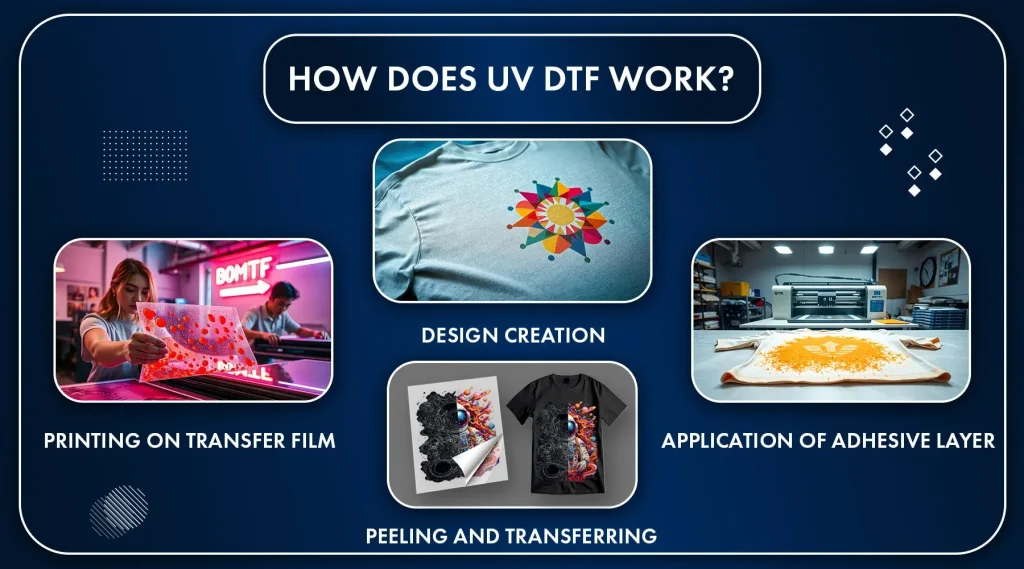
UV DTF transfer is the process of printing a design onto a film using UV-curable inks, which cure instantly under ultraviolet light, delivering crisp edges and bright colors on textiles. This instant cure reduces handling issues during transfer and contributes to stronger edge definition and overall DTF transfer quality.
A well-structured workflow—from artwork to wash-fast finishing—helps ensure consistency across runs. Understanding how UV inks behave during curing and transfer informs every decision, from file prep to finishing, and helps brands achieve predictable results.
Optimizing Artwork and Color Management for DTF Transfer Quality
Artwork quality sets the ceiling for DTF transfer quality. Use high-resolution source files, work in CMYK with an appropriate ICC profile, and soft-proof to anticipate color shifts. Incorporating UV DTF printing tips into your prep helps maintain color fidelity and edge sharpness.
Avoid early rasterizing of vectors and preserve text outlines to keep edges crisp. Calibrate your monitor, embed color profiles, and test proofs to minimize batch-to-batch variation. Effective color management ensures the final print matches the design intent, a core aspect of DTF transfer quality.
Selecting Substrates and Pre-Press Prep for Superior UV DTF Printing
When selecting substrates, prioritize fabrics with good adhesion for UV inks—typically 100% cotton or cotton blends—but be prepared to adjust settings for polyester-rich blends. Pre-press to remove moisture and flatten fibers to ensure even transfer and consistent adhesion, key to strong UV DTF results.
Maintain consistent fabric tension and use a firm heat platen to avoid hotspots that could distort the print. These pre-press steps influence DTF transfer quality by reducing wrinkles and improving adhesion across the garment.
Ink Chemistry, Compatibility, and Printing Tips for Longevity
Ink chemistry drives durability and appearance. UV DTF inks cure instantly and require careful control of viscosity, nozzle health, and drying times. DTF ink compatibility with fabrics and coating layers affects color vibrancy and wash performance, so select inks known for compatibility with your chosen substrates.
Regularly audit ink age, storage conditions, and batch variations to maintain consistency. When comparing UV DTF printing tips for ink choices, prioritize formulations with low bleed-through, strong adhesion, and repeatable results across runs, all of which feed into DTF transfer quality.
Print Settings, Curing Temperatures, and Press Parameters for Durability
Print settings and resolution determine detail, speed, and ink consumption. Use a DPI that balances sharpness with production efficiency; 300–600 dpi is common for many designs. Fine-tuning halftone and smoothing helps preserve gradients and reduce banding, supporting strong DTF transfer quality.
Understanding UV curing temperatures, dwell times, and press parameters is essential to a durable transfer. Typical ranges for fabric adhesion are 150–170°C (302–338°F) with dwell times of about 8–15 seconds and even pressure. Adjust these values based on fabric type and adhesive to minimize distortion and achieve reliable bond.
Finishing Techniques and Post-Press Care to Extend Wash Durability
Finishing techniques, including cold-peel vs hot-peel protocols, influence texture, gloss, and perceived durability. DTF finishing techniques should be chosen based on desired hand-feel and wash performance, with standardized steps to ensure consistency across runs.
Post-press care and documentation complete the workflow. Provide customers with washing instructions and avoid aggressive abrasion until curing is complete. Recording and standardizing your finishing steps helps maintain DTF finishing techniques consistency and overall transfer durability across batches.
Frequently Asked Questions
What is UV DTF transfer and how does it impact DTF transfer quality?
UV DTF transfer is the process of printing a design onto a transfer film with UV-curable inks and applying it to fabric with heat and pressure. DTF transfer quality depends on artwork readiness, substrate compatibility, ink behavior, curing dynamics, and finishing steps, which together affect edge sharpness, color fidelity, and wash durability.
How do UV curing temperatures affect UV DTF transfer performance and bond strength?
UV curing temperatures influence the heat that activates the adhesive and sets the ink during transfer. Use the fabric- and adhesive-specific range (often around 150–170°C / 302–338°F). Too high temperatures can cause distortion or bleed; too low temperatures can lead to weak bonding and reduced wash durability—always maintain even pressure and a stable preheat.
Why is DTF ink compatibility important for UV DTF transfer on different fabrics?
DTF ink compatibility with fabrics governs color vibrancy, adhesion, and wash resistance in UV DTF transfers. Since UV inks cure instantly, substrate compatibility and clear coats impact durability. Always verify that the inks are suited to your chosen fabrics (cotton, blends, synthetics) and run swatches to confirm performance.
What are essential UV DTF printing tips to maximize transfer quality?
Follow UV DTF printing tips: start with crisp, high-resolution artwork; manage color with correct ICC profiles; embed profiles and soft-proof where possible; print at 300–600 dpi; ensure sharp vector edges for text; calibrate color management and verify alignment before final runs.
How do finishing techniques influence UV DTF transfer durability and feel?
DTF finishing techniques, including cold-peel vs hot-peel, and post-press curing, shape the final texture and durability. A proper post-press cure and clear care instructions extend wash life and prevent premature wear. Standardize finishing parameters and communicate care guidelines to customers.
How can I troubleshoot common UV DTF transfer issues to maintain consistent results?
For issues like color mismatch, bleed, cracking, or misregistration, recheck color profiles and soft-proofing, verify substrate compatibility, and confirm ink health and curing parameters. Check platen pressure, dwell time, and temperature, then document the settings and run small test batches to build repeatable SOPs for consistent UV DTF transfer quality.
| Topic | Key Points |
|---|---|
| What is UV DTF transfer? | Printing a design onto a film with UV-curable inks, then transferring it onto fabric using heat and pressure. The inks cure instantly under UV light, producing crisp edges, bright colors, and good durability. The transfer uses a bonding adhesive on the film to bind to textiles when heat is applied. |
| Why high-quality UV DTF transfer results matter | Quality affects appearance, feel, and longevity; a vivid, well-registered image communicates professionalism and builds trust. Subpar transfers can crack, peel, or fade after washing, undermining brand value. Prioritize color accuracy, edge sharpness, substrate compatibility, curing, and finishing. |
| Key factors that influence UV DTF transfer quality |
|
| A practical, step-by-step workflow for top-tier UV DTF transfer results |
|
| Troubleshooting common UV DTF transfer issues |
|
| Maintenance, workflow optimization, and long-term considerations |
|
| UV DTF transfer versus traditional DTF: what to know | UV DTF transfer offers fast curing, strong color fidelity, and good on-press control when paired with proper pre-press and finishing. Compared with traditional DTF, UV colors can be more resistant to fading, and the dry-on-film approach yields cleaner edges on complex designs. Yet results still depend on substrate choice, precise heat-and-pressure application, and ink quality; evaluate color accuracy, edge definition, texture, and wash durability to pick the best method for production goals. |